


Free
$0
Free, with no time limit
To get started.
Start for free- Unlimited videos on your own Claude or ChatGPT
- 30 voice minutes a month
- Unlimited learners
- Sharing by link
Lessons people click, answer and remember. Turn any document into videos with questions, scenarios and quizzes, in your brand. An AI agent builds it, and you can edit every part.
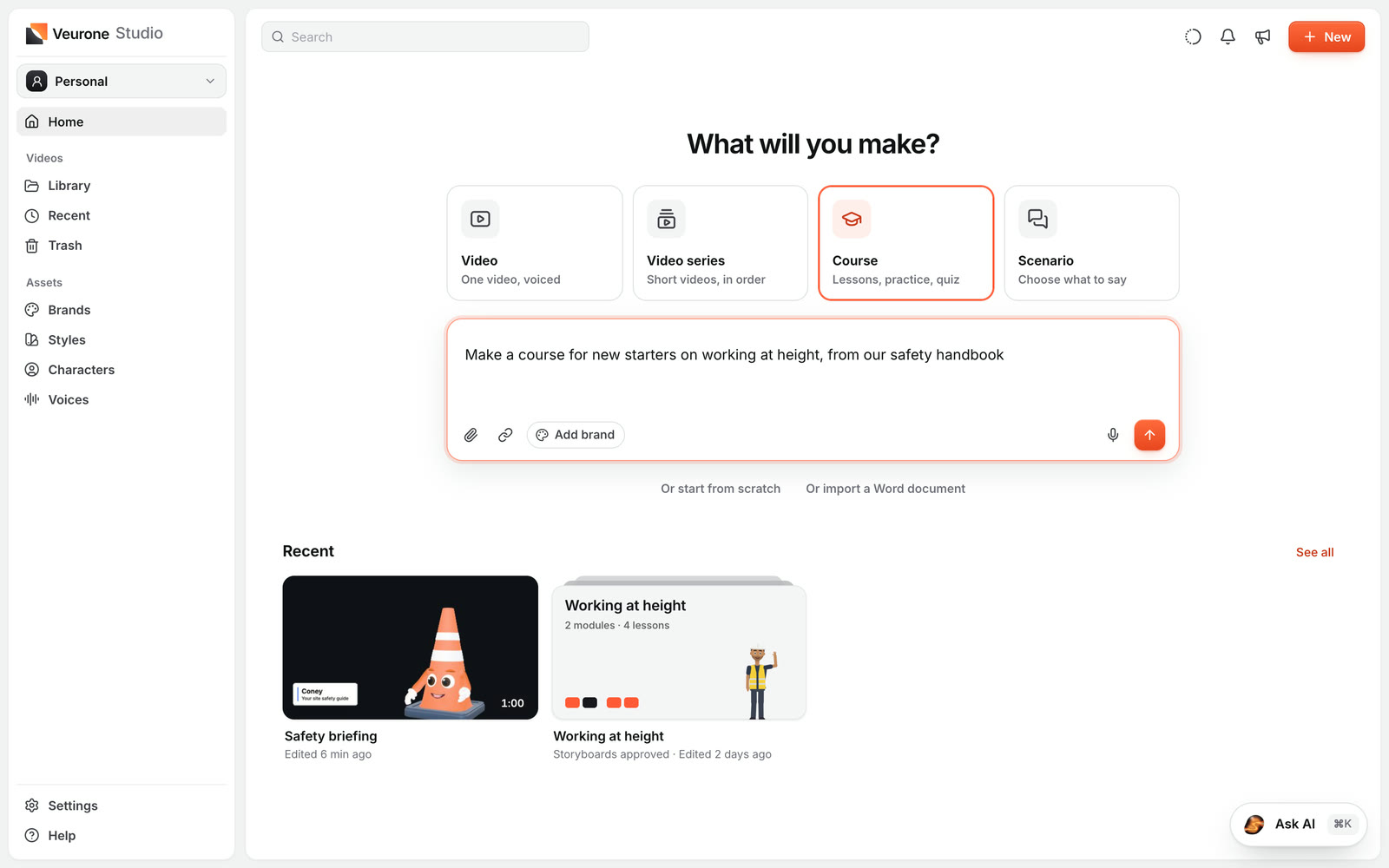
Drop in a policy, a deck or a handbook. AI writes the brief, you approve it, and it builds the lesson. Or start from one of 22 templates, with the script written.
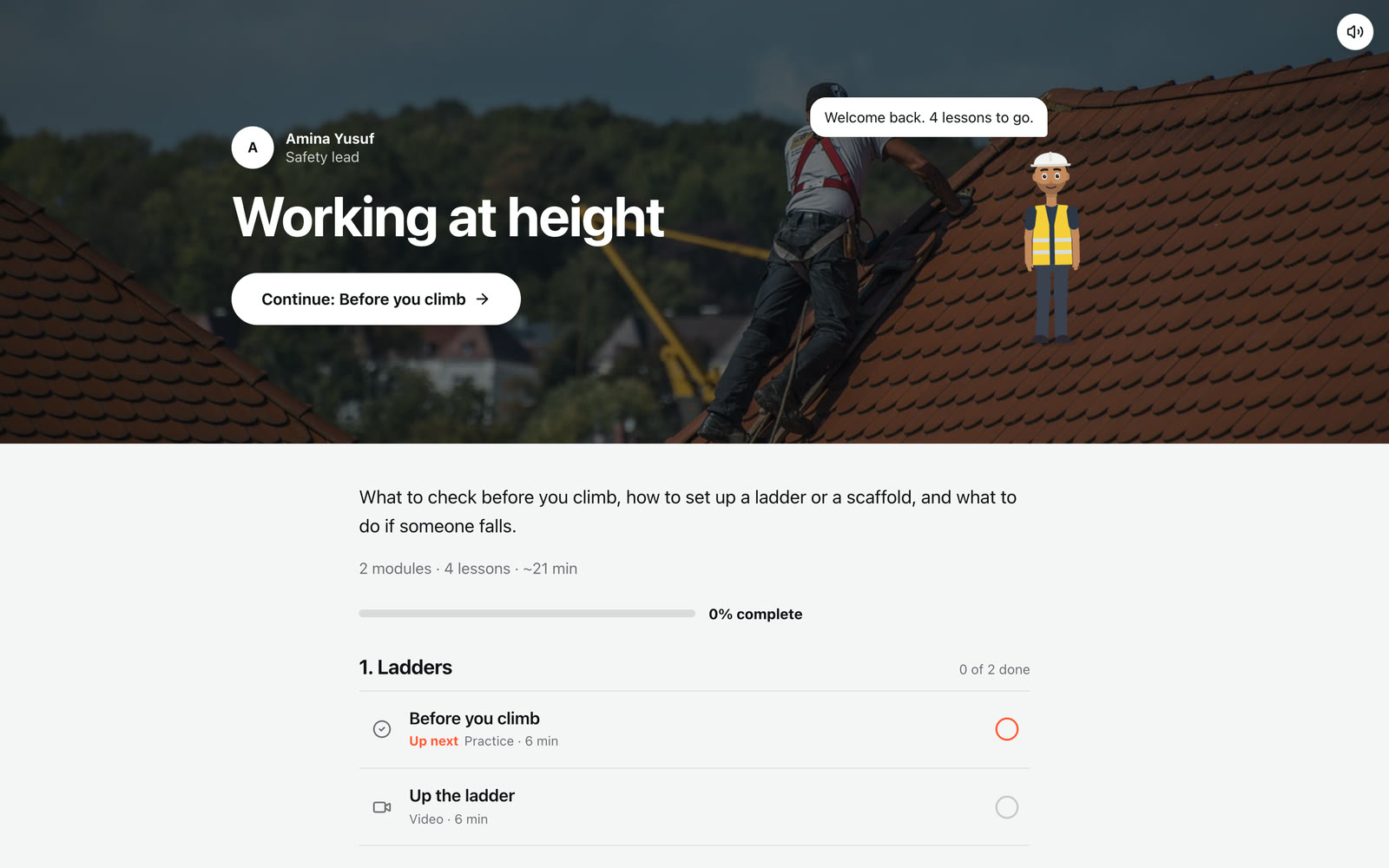
A cover with the title and Start, then every lesson with a progress circle. Learners know their way around.
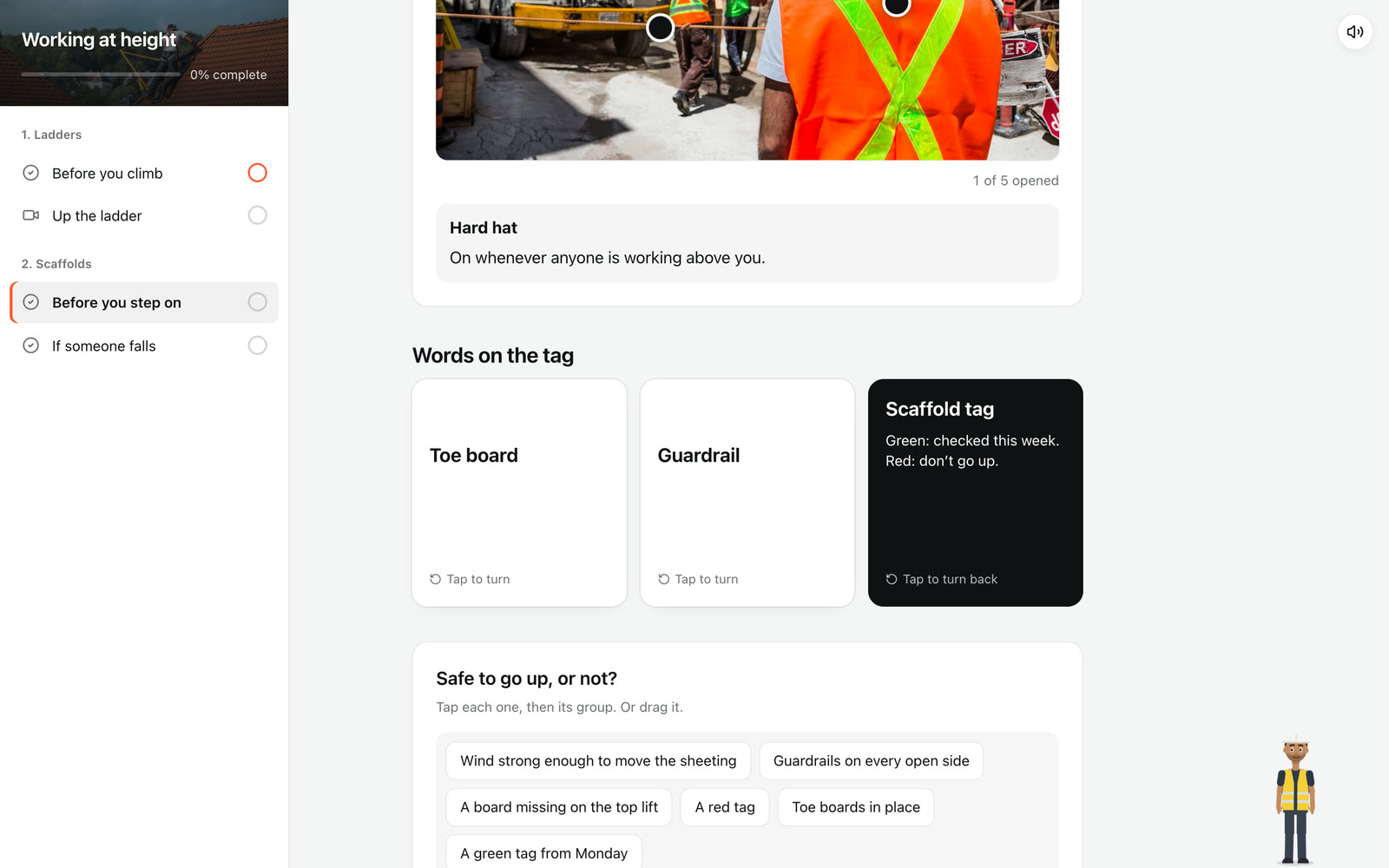
Labeled graphics, flashcards, sorting and quizzes, with a pass mark and a certificate anyone can check.
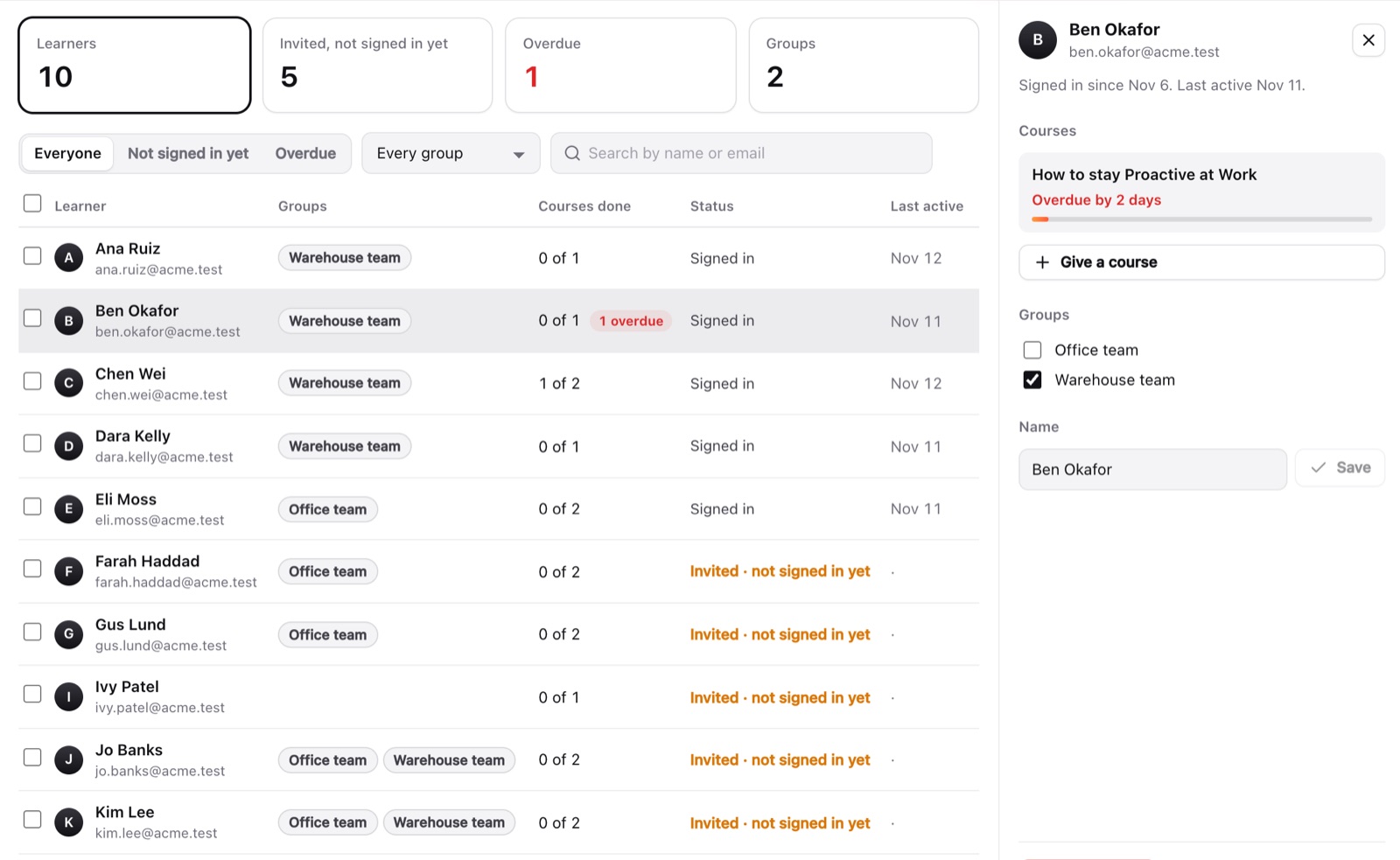
Share by link, or send it to your LMS as SCORM. See who started, finished and passed, and who’s overdue.
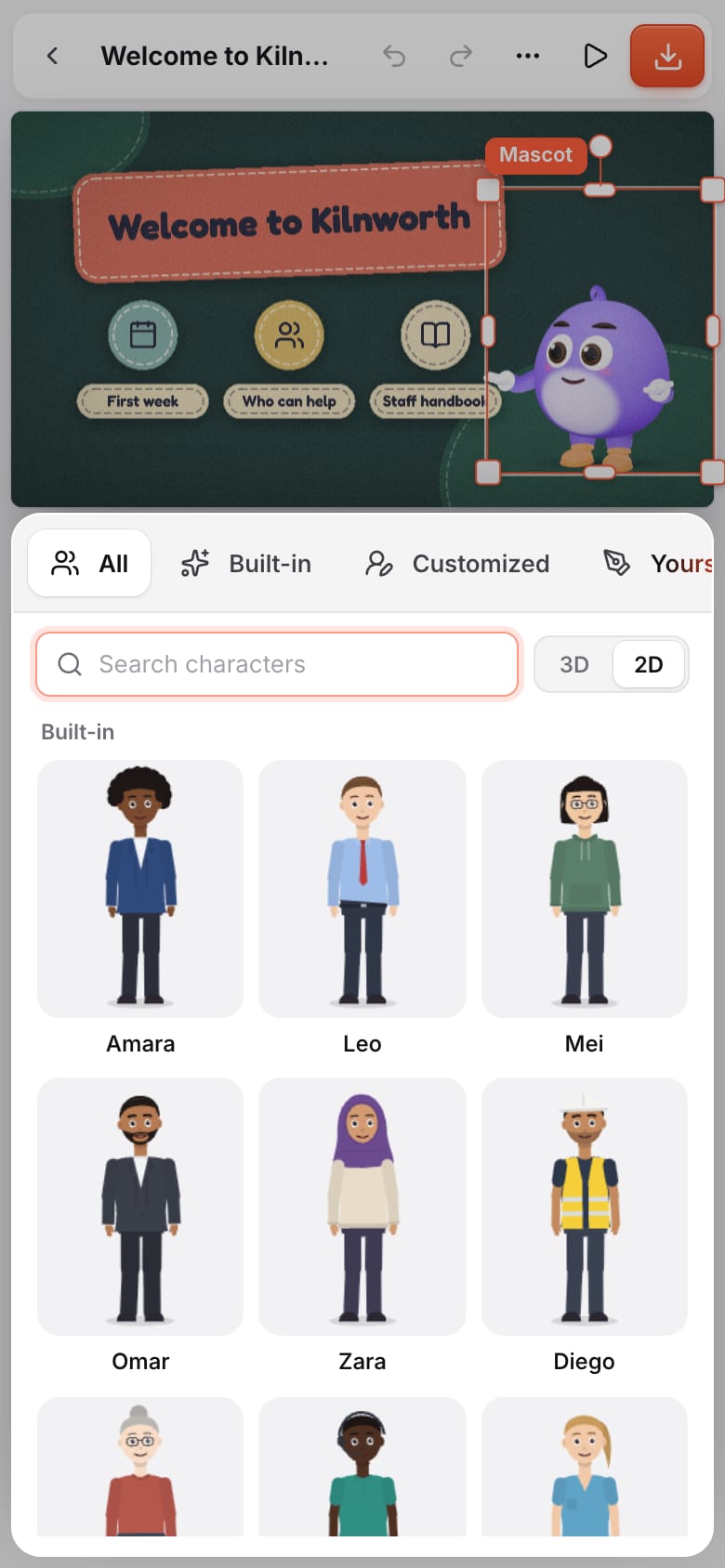
Everything Veurone Studio does on a computer, it does in your phone’s browser. Change anything on the picture, time it, add characters, build a course and share it, wherever you are.
See it on a phone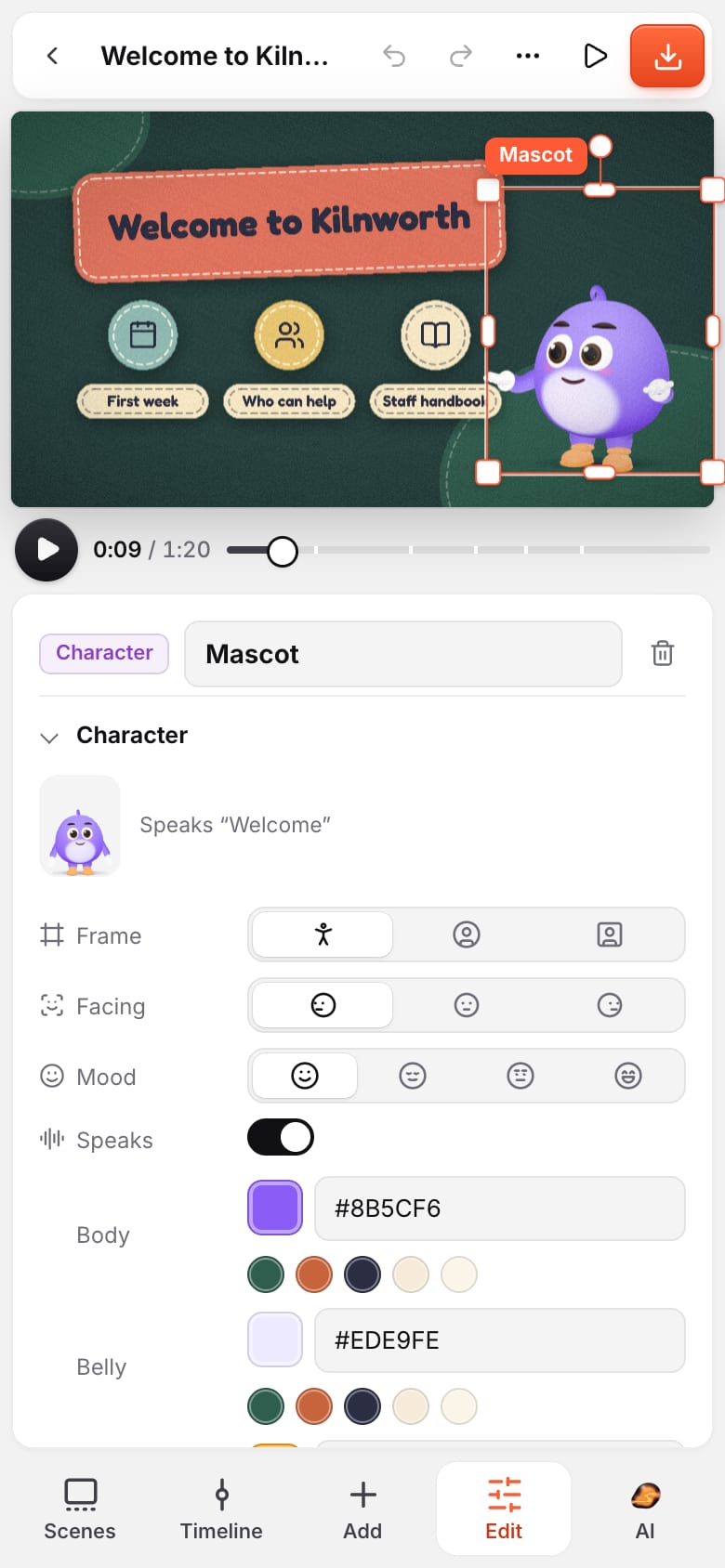
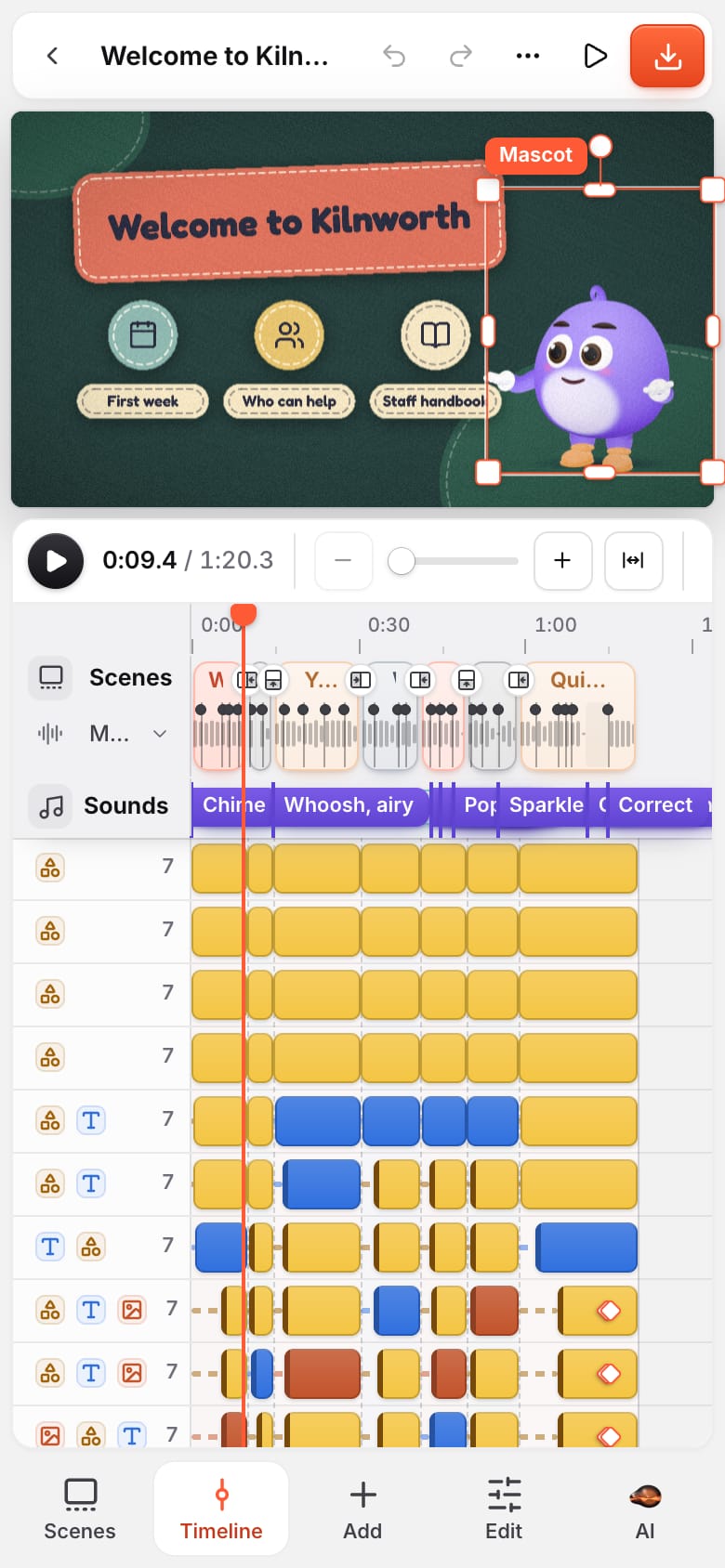
The blocks and the words are the ones you use today. Bring your work with you: Import a file takes Rise courses, Storyline projects, PowerPoint decks and Word documents.
What it brings over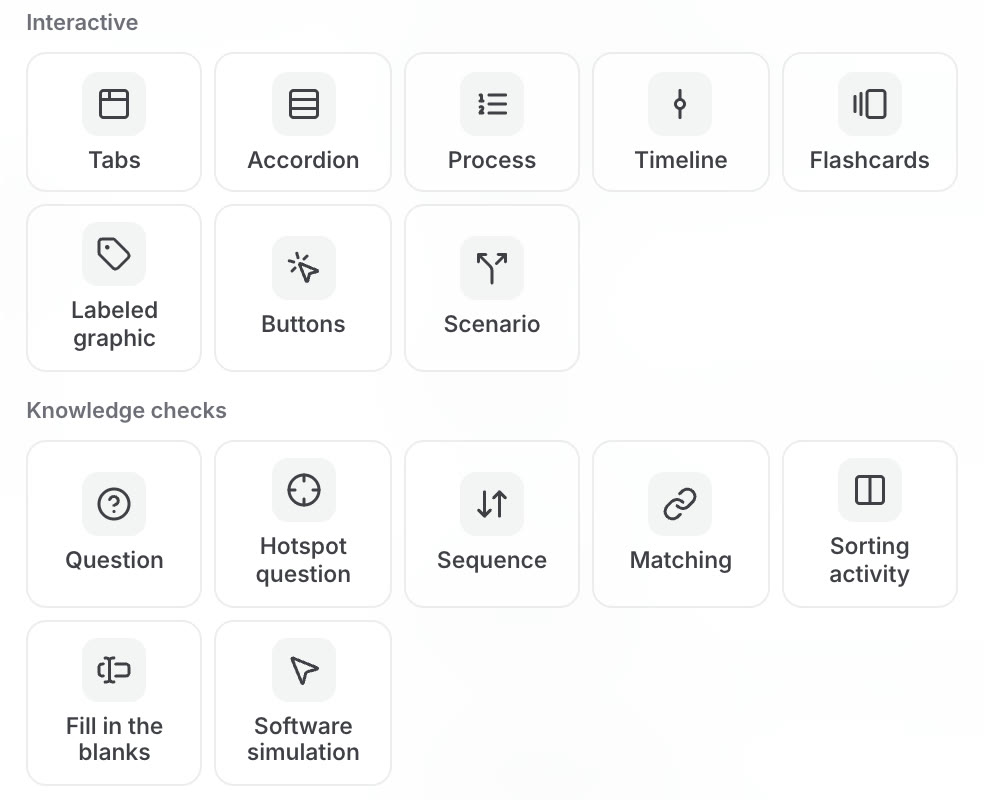
Ask for a video in the chat. Your AI asks a few questions, writes the script and builds it in your studio, on your own plan. Watch it there, ask for changes, and share a link.
 In ChatGPT
Open Plugins, search for Veurone Studio and install it. Then add it from the tools menu in any chat.
Open Veurone Studio in ChatGPT In Claude
Add https://app.veurone.com/mcp as a custom connector, and sign in to your Veurone account.
SCORM 1.2 and 2004 for any LMS. Connected SCORM updates when you publish and sends results back.
A security page written for reviewers, and a data processing agreement that’s already part of our Terms.
Up to 10 people on Business. Watch a teammate’s changes as they save, and ask to edit when it’s your turn.
In the browser, on phones, on Mac and Windows, always in step. AI runs on your own Claude or ChatGPT.
21 characters in 3D and 20 people in 2D speak your narration, point at what matters and react as the lesson goes. Or make your own: as many as you like on a paid plan.
Meet the charactersWhat a training team pays for each job today, next to one Veurone plan that does them all.
Your tools: $608 a month. Veurone Individual: $19 a month, for every job.
96% less. You save $589 a month, $7,068 a year.
 Veurone StudioIndividual
Yearly prices from each company’s site, 26 November 2026. Pick your own tools, and see how we added it up
$0
Free, with no time limit
To get started.
Start for free$15.20
a month, $182.40 billed yearly
For one person.
Choose Individual$159.20
a month, $1,910.40 billed yearly
For a team sharing one library.
Choose BusinessCustom
Priced for your organisation
For more than 10 members.
Talk to usNo. AI builds the lesson from your document, or you start from a template. To change anything, click it or ask AI.
Yes, with no time limit and no card. Make as many videos as you like on your own Claude or ChatGPT, with 30 voice minutes a month and as many learners as you like. Share by link. Downloads, SCORM, embeds and translation come with a paid plan.
In your browser, on a computer or your phone, in the app for Mac and Windows, and inside ChatGPT and Claude. Your projects are the same everywhere.
Yes, all of it, in your phone’s browser: make a video, change anything on it by hand, time it, build a course, share it and export it.
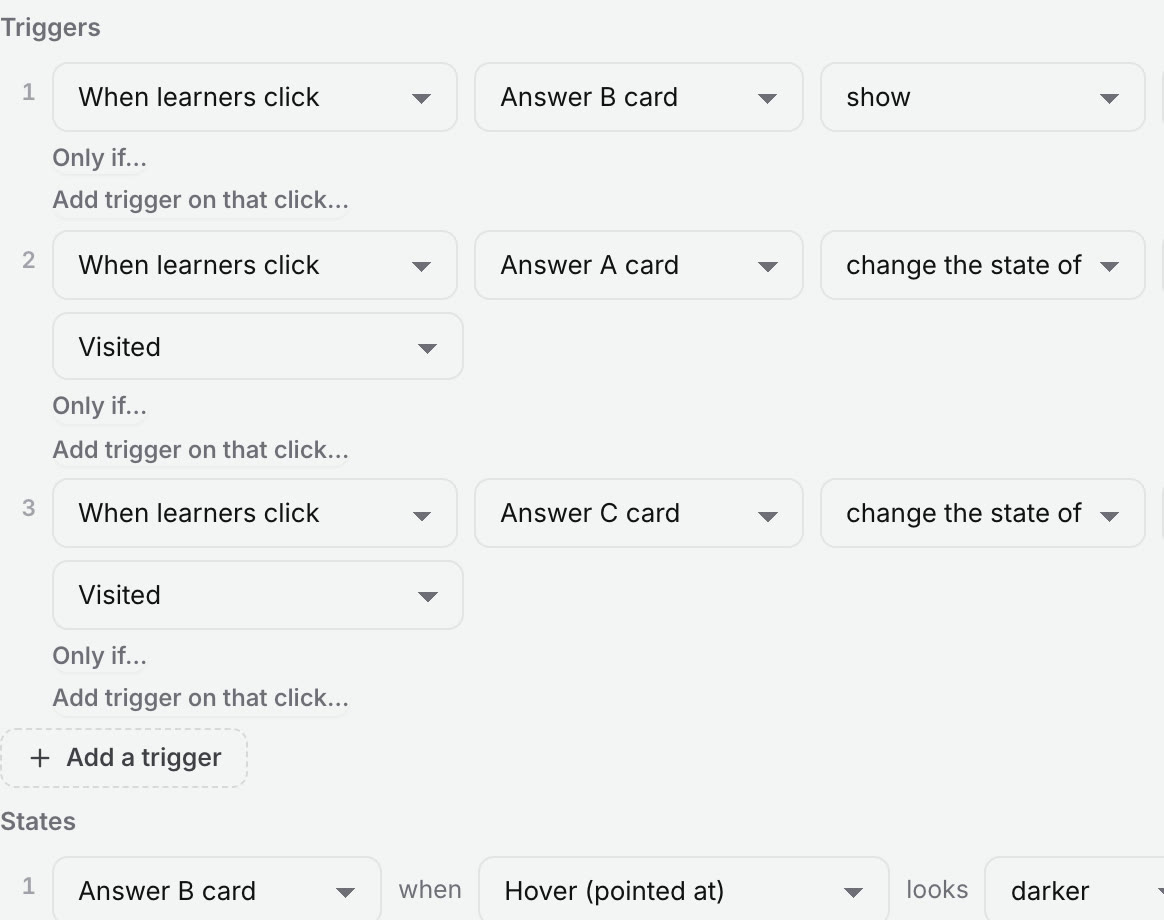
Yes. Import a file takes a Rise export, a Storyline project, a PowerPoint deck or a Word document, and lists anything it couldn’t bring over. The words are the ones you know: Theme, Navigation, Flashcards, Labeled graphic, triggers and states.
Yes. Add Veurone Studio to ChatGPT from its Plugins, or to Claude as a connector, and ask for a video in the chat. It’s built in your studio on your own plan, the free plan too.
Yes, on Business: up to 10 members share one library, and reviewers join for free. One person edits a video at a time. The others watch their changes as they save, and ask to edit when it’s their turn.
Yes. Share a link: learners join with their email, and you see who started, finished and passed. On a paid plan, you can also embed it on your own site, or invite learners to sign in and see their courses.
Yes. On a paid plan, export a course as SCORM 1.2 or 2004, which most LMSs accept, or as cmi5 or xAPI for a platform with a learning record store. Connected SCORM updates when you publish and sends results back.
Yes. Our production team can make whole courses for you. See custom production on the pricing page.